ZBrush
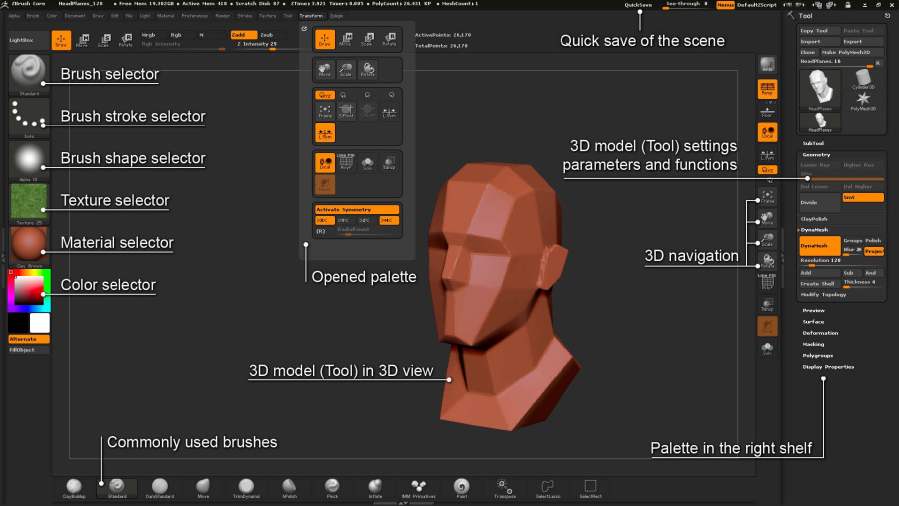
ZBrush is a digital sculpting tool that combines 3D/2.5D modeling, texturing and painting. ZBrus is a bit harder to use because zBrush’s user interface is non-intuitive and non-traditional. At the same time ZBrush is industry standard so you should to learn it.
Start with INTERFACE & NAVIGATION:(http://docs.pixologic.com/zbrushcore/interface-navigation/)

Saving your Work:
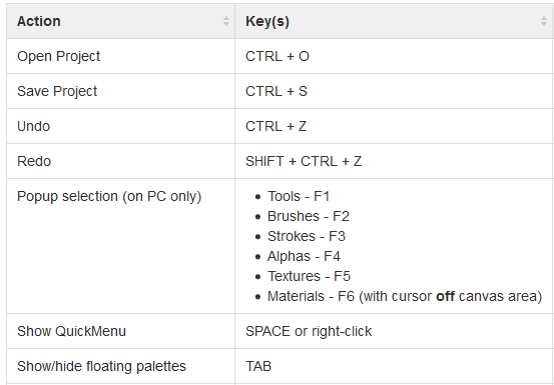
It’s a good idea to save your work often while working. To save your work go to the File palette and press Save, or hit Ctrl+S on the keyboard. This saves all your work in a single project file. You can open a project using File >> Open or by pressing Ctrl+O.
For more please see this video:
ZBrush quick introduction
 Aneta V